How Do I Create U-Charts in Excel Using SigmaXL?
U-Charts
- Open Attribute Data U Chart Defects.xlsx. U Charts (for Defects) can have fixed or varying subgroup sizes.
- Select SigmaXL > Control Charts > Attribute Charts > U. Ensure that the entire data table is selected. If not, check Use Entire Data Table. Click Next.
- Select Defects, click Numeric Data Variable (Y) >>. Select N, click Subgroup Column or Size >>. Check Tests for Special Causes.
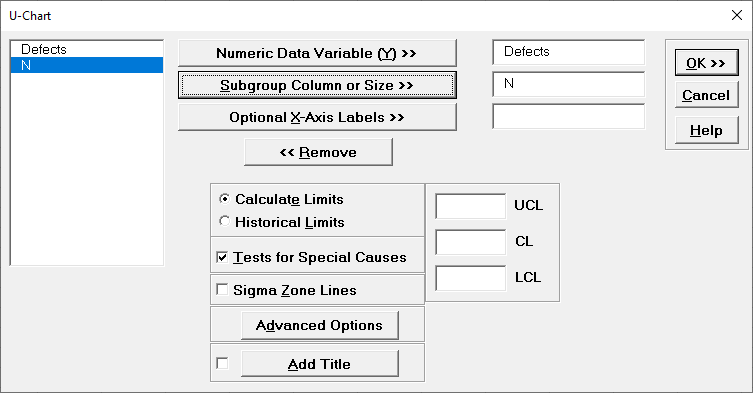
- Click OK. The resulting U-Chart is shown:
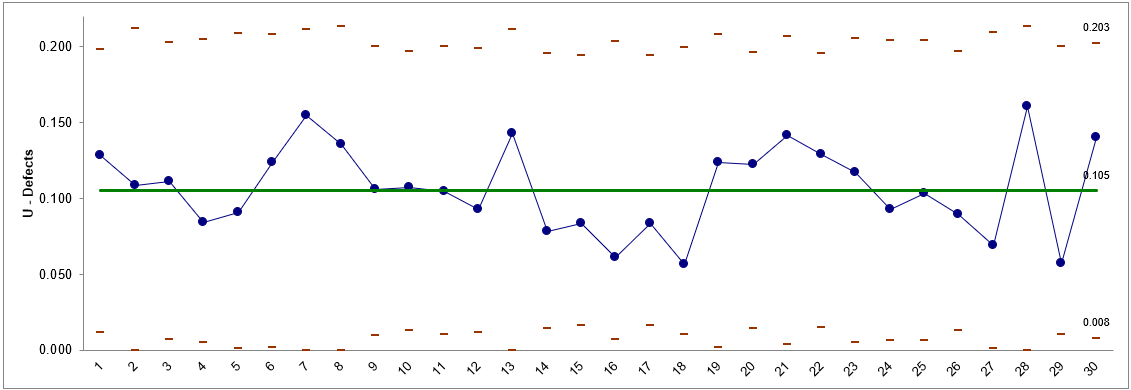
This is a stable process, with no tests for special causes flagged.