SigmaXL Data Preparation Utilities
Remove Blank Rows and Columns
This data preparation utility is provided as a convenient way to prepare data for analysis by deleting any empty rows and/or columns.
- Open Customer Data.xlsx. Click Sheet 1 Tab.
- Insert a new column in B; Click Column B heading, click Insert > Columns.
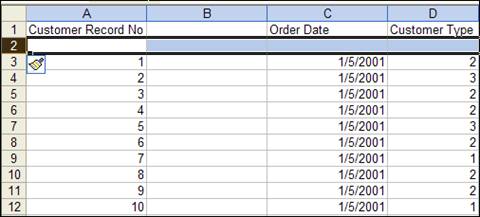
- Insert a new row in row 2. Click Row 2 label, click Insert > Rows as shown:
- This is now an example of a data set that requires deletion of empty rows and columns. Click SigmaXL >Data Manipulation >Data Preparation >Remove Blank Rows and Columns.
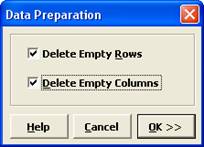
- Check Delete Empty Rows and Delete Empty Columns.
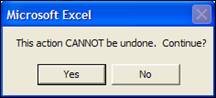
- Click OK. A warning message is given prior to the deletion step.
- Click Yes. The empty rows and columns are deleted automatically.
Change Text Data Format to Numeric
This Data Preparation utility in SigmaXL will convert data that represents numeric values but are currently in text format. This sometimes occurs when importing data into Excel from another application or text file. Correcting the format ensures that SigmaXL statistical tools recognize the values correctly for analysis.