Example 8: Advanced 2-Level Factorial/Screening Design with Augment Optimal – Cake Bake
Augment Optimal allows you to augment any Advanced DOE type: 2-Level Factorial/Screening, General Full Factorial, Definitive Screening, Response Surface, or Optimal. The user specifies the desired optimality criterion and model. The optimal design is then determined by adding new runs to the existing experimental design. Fraction of Design Space (FDS) Plots, Optimal Design Diagnostic Metrics, Model Term SE and VIF are available
We will redo the augmentation example given in Example 2: Advanced 2-Level Factorial/Screening Design with Augment – Add Axial Points – Cake Bake, but instead of adding axial points to the factorial design, we will use augment optimal (starting after step 12).
-
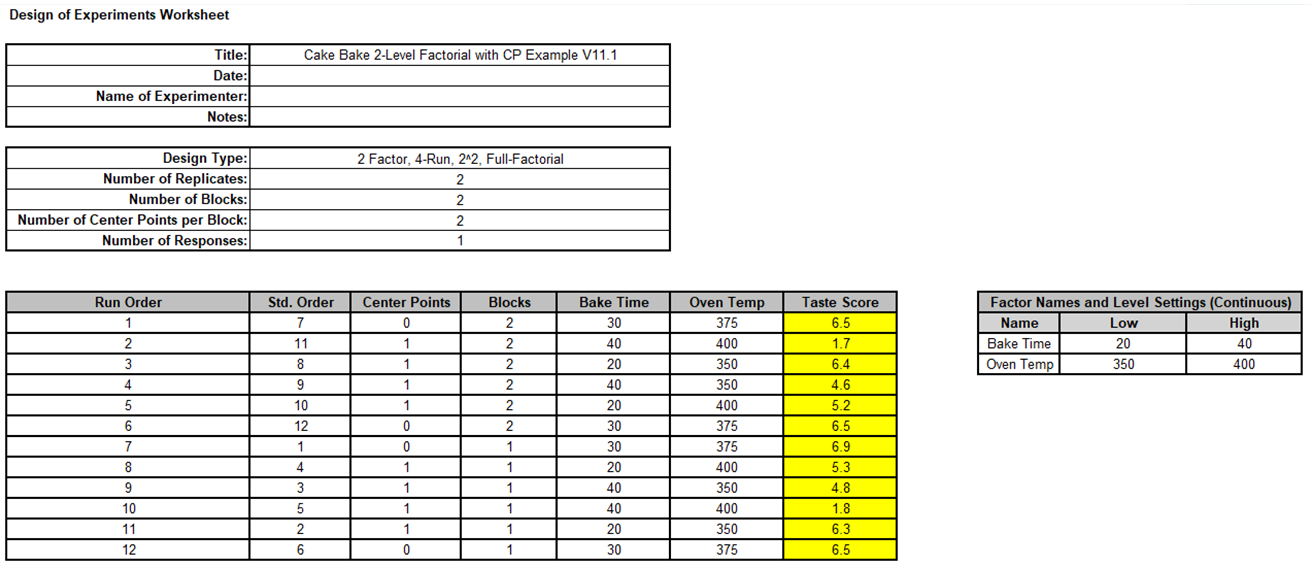
Click on sheet Cake Bake Example in Advanced 2-Level Factorial Example – Cake Bake V11.1.xlsx
-
Click SigmaXL > Design of Experiments > Advanced Design of Experiments: Augment with Optimal/Center Points > Augment Design.
-
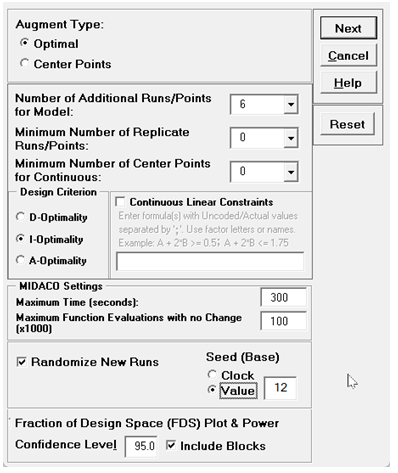
The default dialog design is given as Augment Type: Optimal, which is what we will use.Select Design Criterion as I-Optimality (since we are augmenting to produce an RSM design), select Seed (Base) Value = 12 and other default options as shown:
-
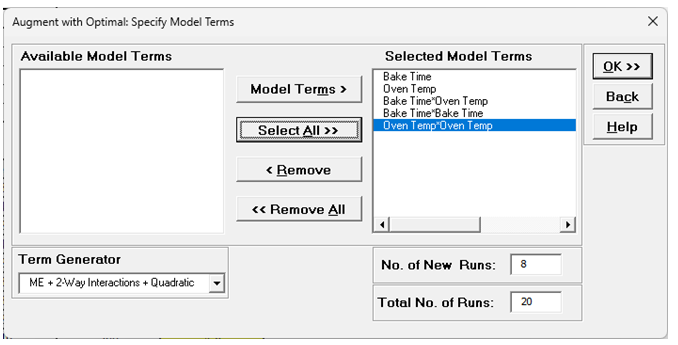
Click Next. Select Model Terms as shown.
-
Click OK.
-
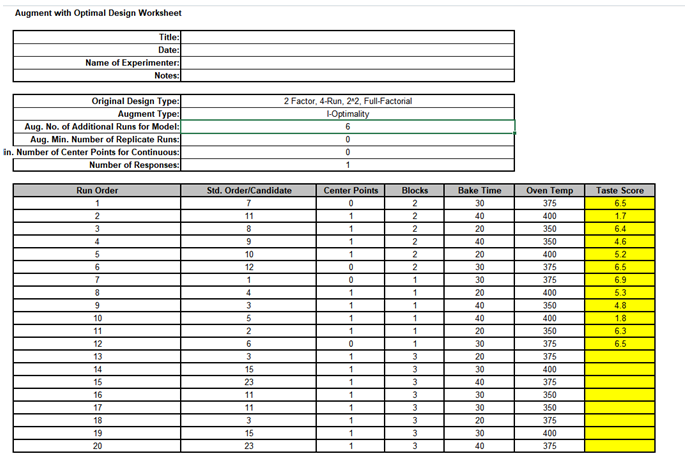
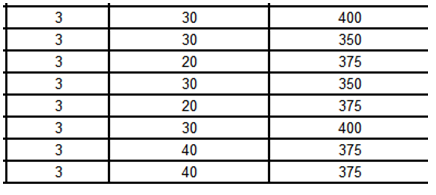
Examining the 8 new runs we see that the new runs for this I-Optimal Augment are exactly the same as the 2 Replicate Face Centered Axial design points given in Example 2: Advanced 2-Level Factorial/Screening Design with Augment – Add Axial Points – Cake Bake, just in different order:
-
So here there was no particular advantage to using Augment Optimal other than for demonstration purposes. But the Augment Optimal is far more flexible: Augment with Axials only applies to two level factorial designs; Augment with Optimal works with any design. Furthermore Augment with Optimal allows you to specify any model, e.g., specific interactions, quadratic or cubic terms of interest.